On this page 11 sections
- Why "Re:" usually wins
- Keep "Re:" or write a new subject?
- What makes a good new subject line
- 25 follow-up subject line examples
- Eight full follow-ups, with their subject lines
- Preview text matters too
- How threading works in Gmail and Outlook
- Personalising subject lines without merge mistakes
- When to use "Fwd:"
- Subject lines to avoid
- Test before you send
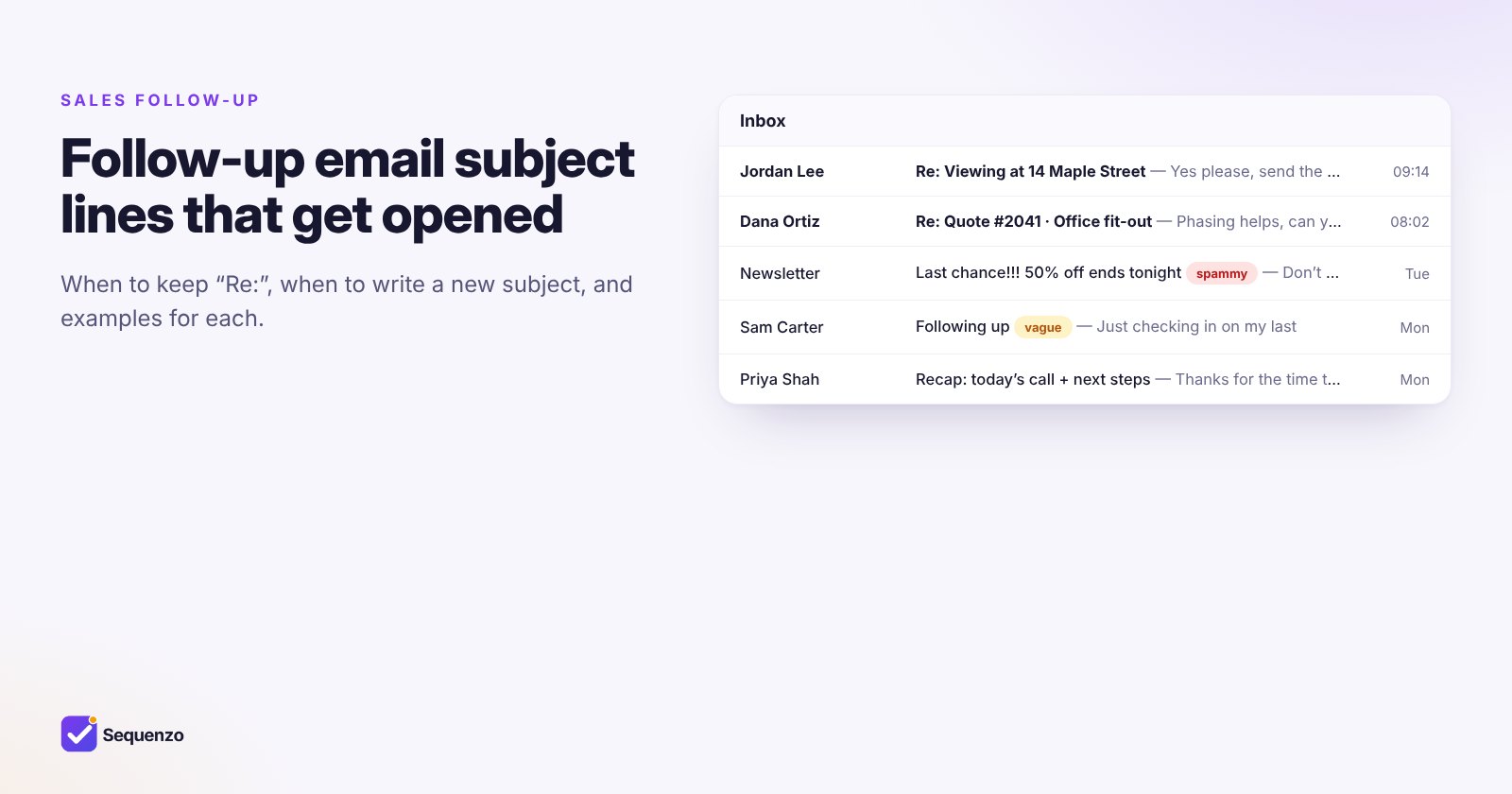
A lot of advice about follow-up subject lines is about being clever. For most follow-ups, though, the best subject line is the one you already have: "Re:" plus the original subject, sent as a reply in the same thread. Below is why that works, when to break the rule, 25 subject lines for the times you do, and eight complete follow-up emails with the subject that suits each.
This guide is for people following up on conversations they started: quotes, proposals, meetings, viewings, test drives and applications. Subject lines for newsletters and cold campaigns follow different rules and aren't covered here.
Why "Re:" usually wins
When you reply in the existing thread, email clients group your follow-up with your original message using standard headers (In-Reply-To and References, defined in RFC 5322). That helps in a few ways:
- The context comes with it. The quote, the listing link or the meeting time is one scroll away.
- It reads like a conversation rather than a campaign, which is what it is.
- It doesn't look like a stranger writing. A brand-new subject from someone the reader half-remembers is easy to ignore, or to mistake for marketing.
Never fake it, though. Adding "Re:" to a first email to pretend there was a previous conversation is deceptive, and in the US the FTC's CAN-SPAM guidance specifically prohibits misleading subject lines for commercial email.
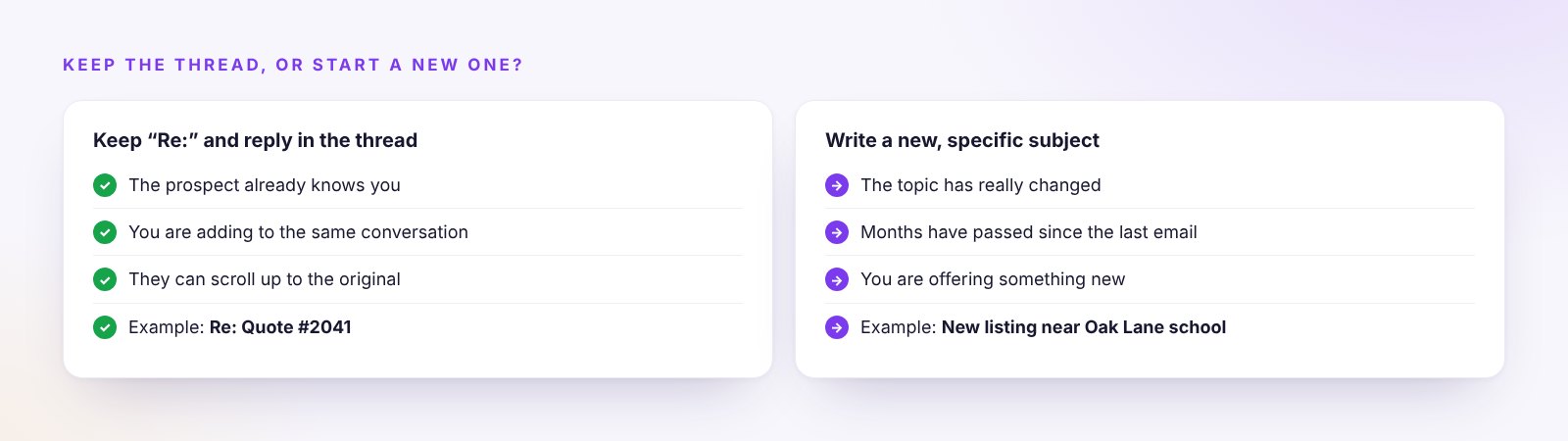
Keep "Re:" or write a new subject?
| Situation | Subject | Example |
|---|---|---|
| First to third follow-up on the same request | Keep "Re:" | Re: Quote #2041: office fit-out |
| You're sending a revised version | Keep "Re:" or add a short note | Re: Quote #2041 (revised, phased start) |
| The topic has changed | New, specific subject | New listing near Oak Lane school |
| More than two or three months have passed | New subject that names the old topic | Picking up the fit-out quote from March |
| You're writing to a different person | New subject | Introduction: Dana suggested I contact you |
| The last email in a sequence | Keep "Re:" | Re: Your test drive: RAV4 Hybrid |
What makes a good new subject line
- Specific beats clever. "Two homes near Oak Lane school" works better than "Thought you'd like this!".
- Short. Phones cut subject lines off quickly, so put the important words first.
- Plain. No ALL CAPS, no "!!!", no "Last chance". They look like marketing, and receivers' filters agree.
- Honest. It should say what's actually in the email.
25 follow-up subject line examples
After a quote or proposal
- Quote #2041: one option to bring the total down
- Your proposal: answers to the two open questions
- Price held until the 28th
- Revised quote with the phased start
- Quick question about the start date
After a meeting or demo
- Recap: today's call and next steps
- The two demo clips you asked for
- Thursday 10:00 still good?
- Next step on the floor plan
- Trial accounts for you and Jess
Real estate
- New listing near Oak Lane school
- 14 Maple Street: survey report attached
- Two homes under offer on your street
- Saturday viewing slots
- A year in your new home
Car sales
- Your trade-in figure for the Civic
- Finance options for the RAV4
- Walkaround video of the blue one
- Test drive slots this weekend
- The one you asked about is back in stock
Reviving a quiet conversation
- Still a priority for this quarter?
- Should I close your file?
- Picking this back up after the holidays
- One thing that changed since we spoke
- Better time to talk in the new year?
Eight full follow-ups, with their subject lines
1. Second follow-up on a quote
Subject: Re: Quote #2041: office fit-out
"Hi Dana, if the total is more than you planned, one option is to phase the meeting rooms into March. That brings the first invoice down by about a third. Would that help?"
2. Revised proposal
Subject: Re: Proposal: Q3 brand campaign (revised)
"Hi Daniel, here's the revised proposal with phase one costed on its own, as you asked. The rest is unchanged. Does this work for Thursday's budget meeting?"
3. New listing for a quiet buyer
Subject: New listing near Oak Lane school
"Hi Jordan, a three-bedroom house with a garden has just come up ten minutes from the school. It goes online on Friday. Would you like the details first?"
4. Meeting confirmation
Subject: Re: Thursday 10:00 still good?
"Hi Priya, just confirming we're still on for Thursday at 10:00. I'll bring the two layouts we talked about."
5. Trade-in figure
Subject: Your trade-in figure for the Civic
"Hi Chris, I have a trade-in range for your Civic based on the mileage you gave me. Want me to put it next to the RAV4 so you can see the monthly figure?"
6. Picking up an old conversation
Subject: Picking up the fit-out quote from March
"Hi Dana, we spoke in March about fitting out the second floor. If it's back on the table, I can refresh the quote this week. Is it worth doing?"
7. Wrong person check
Subject: Re: Your proposal: answers to the two open questions
"Hi Sam, am I asking the right person about this? If someone else looks after it, I'd be grateful for a name."
8. The last email
Subject: Re: Your test drive: RAV4 Hybrid
"Hi Chris, I'll close this out on my end for now so I'm not filling your inbox. If anything changes, just reply. It comes straight to me."
Preview text matters too
Most inboxes show the first line or two of the email next to the subject. On a phone, that preview often gets more space than the subject itself. For a follow-up, that means your first sentence is doing half the work. "Hi Dana, one option to bring the total down:" is a better opening than "Hi Dana, I hope you're well and had a good weekend."
When you reply in a thread, some apps also show a snippet of the quoted text below. Keep your new text short and at the top, so the preview shows what's new rather than the old email.
How threading works in Gmail and Outlook
Both Gmail and Outlook group a reply with the original when it keeps the same subject and carries the reply headers. Changing the subject line in a reply usually starts a new conversation in both, so the reader loses the context you wanted them to have. If you need to signal something new, it's often better to keep the subject and put the news in the first line of the email.
Adding a short note in brackets, such as "Re: Quote #2041 (revised)", is a reasonable middle ground. Some apps may still split the thread, so check how it looks on your own account first.
Personalising subject lines without merge mistakes
If you use templates or an automation tool, a merge field in the subject line can go badly wrong. "Re: Your viewing at {{address}}" with an empty field looks careless. Use fallbacks, such as "your viewing" when the address is missing, and send a test to yourself before you start a sequence.
When to use "Fwd:"
"Fwd:" is for actually forwarding an email to someone new, usually with a short note on top: "Fwd: Quote #2041. Dana suggested you're the right person to look at this." It gives the new reader the whole history in one go. Don't use it to make a first email look like part of an existing conversation, and don't forward a long thread without a line explaining why they're getting it and what you need from them.
If you're bringing a colleague into a live conversation, copy them on your reply instead, and say so in the first line: "Copying in Jess, who will handle the installation."
Subject lines to avoid
- "Following up" or "Just checking in" on a new thread. They're vague and give no reason to open it.
- A fake "Re:" or "Fwd:" on a first email.
- Pressure words like "Urgent", "Final notice" or "Last chance" when nothing is urgent.
- Clickbait such as "Quick question" when the email contains a pitch.
- Unfilled merge fields. "Hi {{first_name}}" in a subject line is worse than no name at all. Use a fallback.
Test before you send
The free subject line tester checks length, spammy words, unfilled merge fields and misleading "Re:" or "Fwd:" prefixes, and shows how the subject and preview text look in an inbox.
Subject lines play only a small part in deliverability. If follow-ups are landing in junk, start with why your follow-up emails go to spam and SPF, DKIM and DMARC explained.
Sequenzo sends follow-ups as replies in the original thread by default, so the subject takes care of itself. When you want a new subject for one step, you can set it on that step.
Frequently asked questions
Q01Should a follow-up email have the same subject line?
Usually yes. Replying in the same thread keeps "Re:" plus the original subject, so your follow-up arrives with all the earlier context. Use a new subject only when the topic changes or a lot of time has passed.
Q02Is it OK to add "Re:" to a first email?
No. Adding "Re:" to suggest a conversation that never happened is misleading. Recipients notice, and in the US the FTC's CAN-SPAM guidance prohibits deceptive subject lines in commercial email.
Q03How long should a follow-up subject line be?
Short enough that the important words show on a phone. Put the specific part first, such as the property, the quote number or the date.
Q04Do subject lines affect spam filtering?
They can contribute, especially ALL CAPS, lots of punctuation and pressure words, but authentication, complaint rates and sending patterns matter much more.