Follow-up is hit and miss
Whether a lead is followed up depends on who picked it up. Some reps chase well and some don't chase at all.
Your whole team uses the same follow-up flows, and each rep keeps sending from their own mailbox. Nobody shares an inbox or copies and pastes reminders, and leads don't sit waiting because someone had a busy week.
Sends from your own Gmail, Outlook or IMAP mailbox · stops when they reply · free plan

Whether a lead is followed up depends on who picked it up. Some reps chase well and some don't chase at all.
There is no way to tell who was followed up, who replied, or which wording gets answers.
When a rep leaves, their templates and timing leave with them.
Pick a flow when you send the first email (from your inbox, the dashboard or Gmail compose) and Sequenzo sends the follow-ups after it.
Set up your first flowSet up the playbook once. Every rep uses it from their own inbox, with their own name and signature.
Every conversation in one workspace: who was followed up, who opened and who replied.
Choose who can export contacts, send, delete, manage members or see billing.
A record of exports, deletions, settings changes and member changes.
A manager sets up the flow once. Each rep adds their own conversations to it, and Sequenzo sends every step from that rep's mailbox.
A manager writes the follow-up steps, the timing and the sending hours, then shares the flow with the team.
Each rep sends the first email from their own Gmail or Outlook (or from Gmail compose with the extension) and picks the shared flow.
Follow-ups go out from the rep's own mailbox, in the same thread, during the team's sending hours. Any reply stops them.
Reply rates for each step and A/B tests show which wording works. Update the flow once and every rep gets the new version.
{{first_name|there}} = merge field with a safe fallback. Want more? Browse 50 free follow-up email templates or draft your own with the follow-up email generator.
There are no shared sending servers and no shared inboxes. Each follow-up comes from the rep who owns the conversation.
If a contact replies to any rep, that contact's follow-ups stop straight away.
Auto-BCC HubSpot, Pipedrive or any other CRM. There is also HubSpot private-app sync, and outbound webhooks for everything else.
Seats, plan and billing in one place, and nothing is lost when someone leaves.
If you want a team to win more deals, a good place to start is making sure every lead gets the same follow-up sequence, whoever is on shift and however busy the week is.
Pick the follow-up that matters most to you, whether that's proposals, quotes, test drives or viewings, and write it with whoever on the team is best at it. Share it and make it the default.
The shared flow sets the timing and the structure. Merge fields and small changes in wording keep each email personal, and every follow-up still comes from the rep's own address.
Reply rates per step show where conversations pick back up. Fix the weakest step, try a new subject line, and roll out whichever version does better to everyone at once. The follow-up email cadence playbook has more on this.
Sending from each rep's own mailbox at a normal pace, within business hours and daily limits, keeps your domain's reputation healthy. You can check your setup with the email health check.
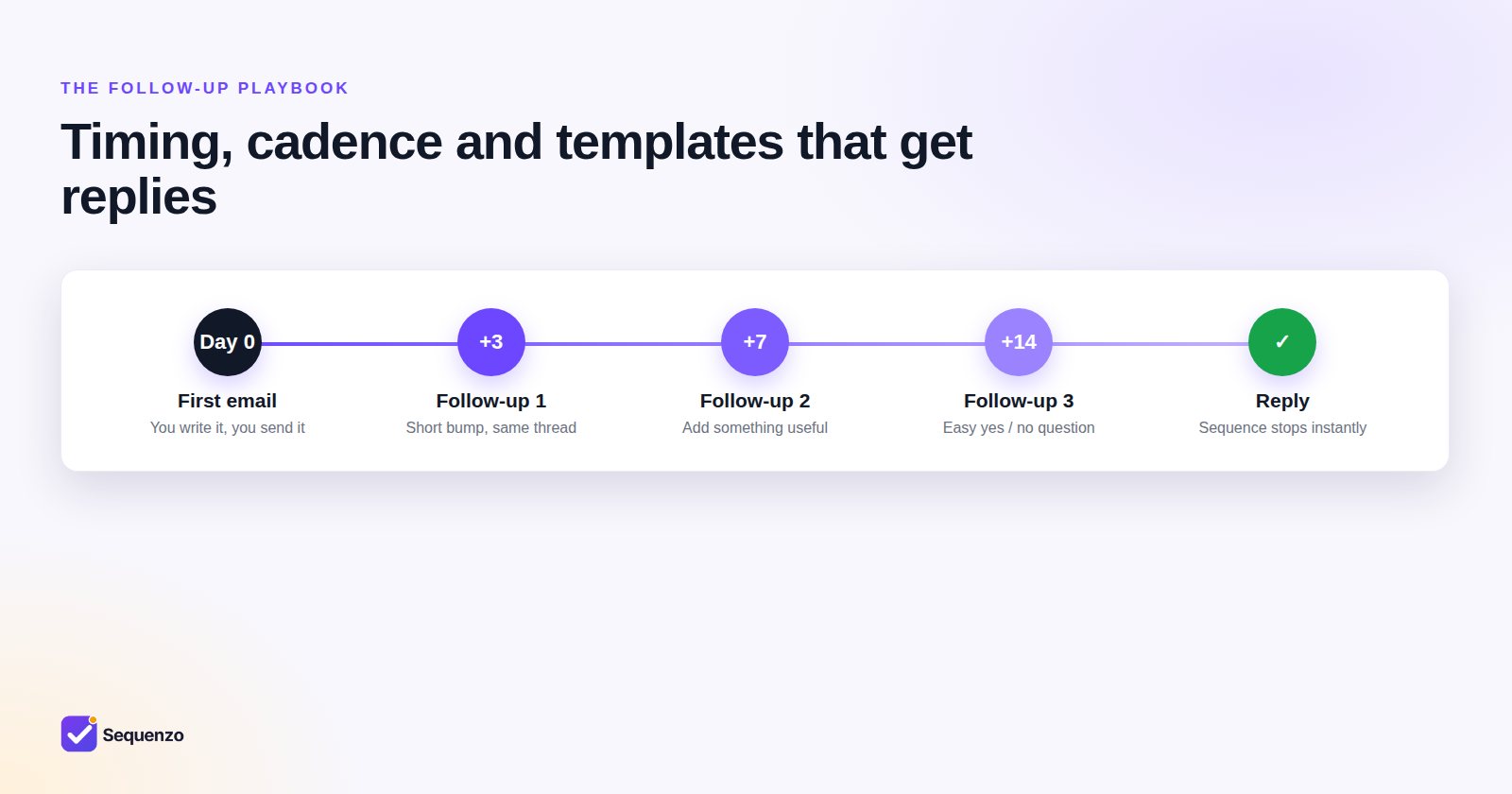
How long to wait, how many follow-ups to send, and what to write in each one - with copy-and-paste templates for proposals, quotes, invoices and interviews.
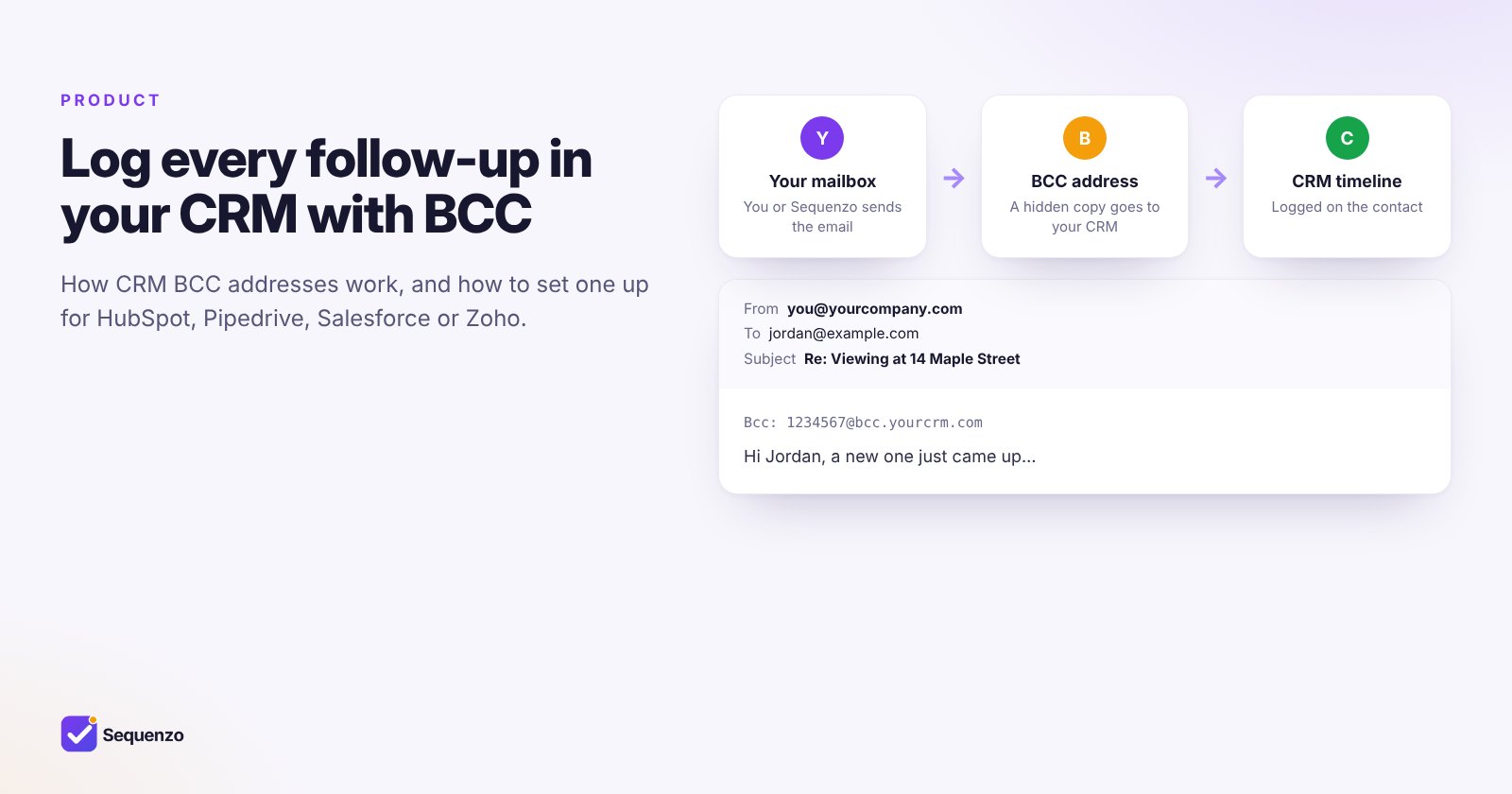
Most CRMs give you a private BCC address that logs any email on the contact record. How it works in HubSpot, Pipedrive, Salesforce and Zoho CRM, and how to use it with automated follow-ups.
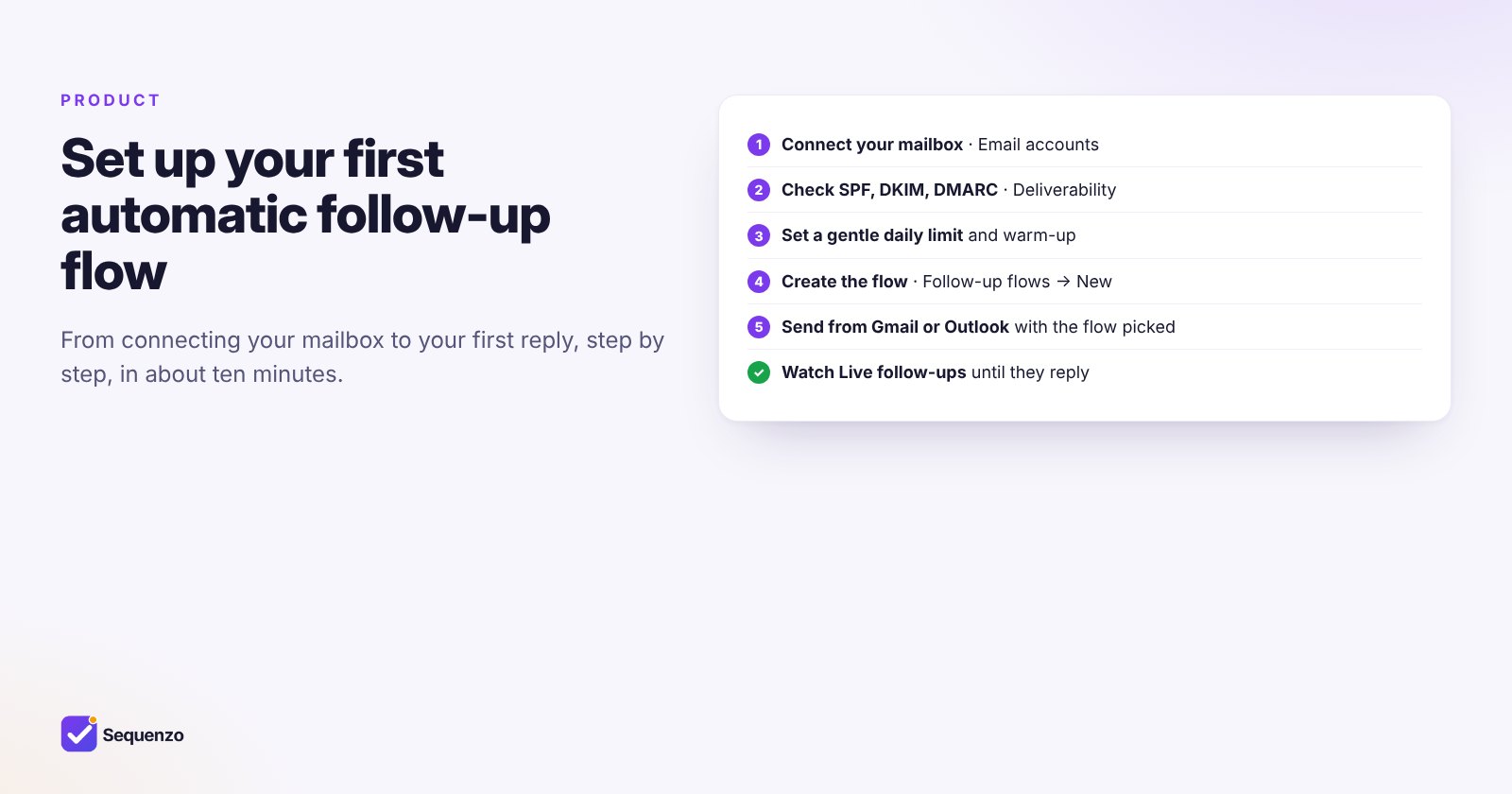
A step-by-step guide to setting up automatic email follow-ups with Sequenzo: connect your mailbox, check deliverability, build a flow, send from Gmail or Outlook, and watch it stop when they reply.
Something else? Contact the Sequenzo team and a person will answer within one working day.
Business is $24.99 a month and includes team seats and shared sequences. For larger teams, ask us for a proposal and we will reply within one working day.
No. Each rep connects their own mailbox. Flows and templates are shared, but sending is personal.
Shared flows, contacts and templates stay in the team workspace.
Owners and managers can see the team pipeline (who was followed up, who opened and who replied), depending on the permissions you set.
Any CRM with a BCC address works through auto-BCC. HubSpot also connects with a private-app token, and anything else can use outbound webhooks.
Free plan, no card. Pro starts with a 14-day free trial. Cancel any time.