On this page 10 sections
Sending a quote is when a conversation turns into a decision, and it's also where a lot of conversations stall. The client asked for the price, you sent it, and then you heard nothing. They haven't said no. They might be busy, comparing you with someone else, waiting for budget sign-off, or they may have just forgotten. More often than not, the work goes to whoever follows up properly.
Below are ten short follow-up emails for the days after a quote or proposal, a timing table, and a few mistakes that lose deals without anyone noticing.
This guide is for anyone who sends quotes or proposals to people who asked for them: trades and contractors, agencies and consultants, B2B sales teams, insurance and mortgage brokers. The wording assumes a quote for a job or project, but it works for software proposals and service contracts too.
Why quotes go quiet
Silence after a quote doesn't usually mean no. It tends to be one of four things:
- The decision is waiting on someone else, a budget cycle or a project start date.
- The price is higher than they hoped, and they'd rather avoid an awkward conversation about it.
- They aren't sure what's included, or how your quote compares with another one.
- Nothing at all. Your email slid down a busy inbox and they still mean to answer it.
A good sequence deals with each of those in turn. It checks the quote arrived, clears up anything confusing, offers an option on price, gives a real reason to decide, and then closes the loop politely.
The timing
| Day | What it does | |
|---|---|---|
| 0 | The quote | Price, scope, how long it's valid, how to accept |
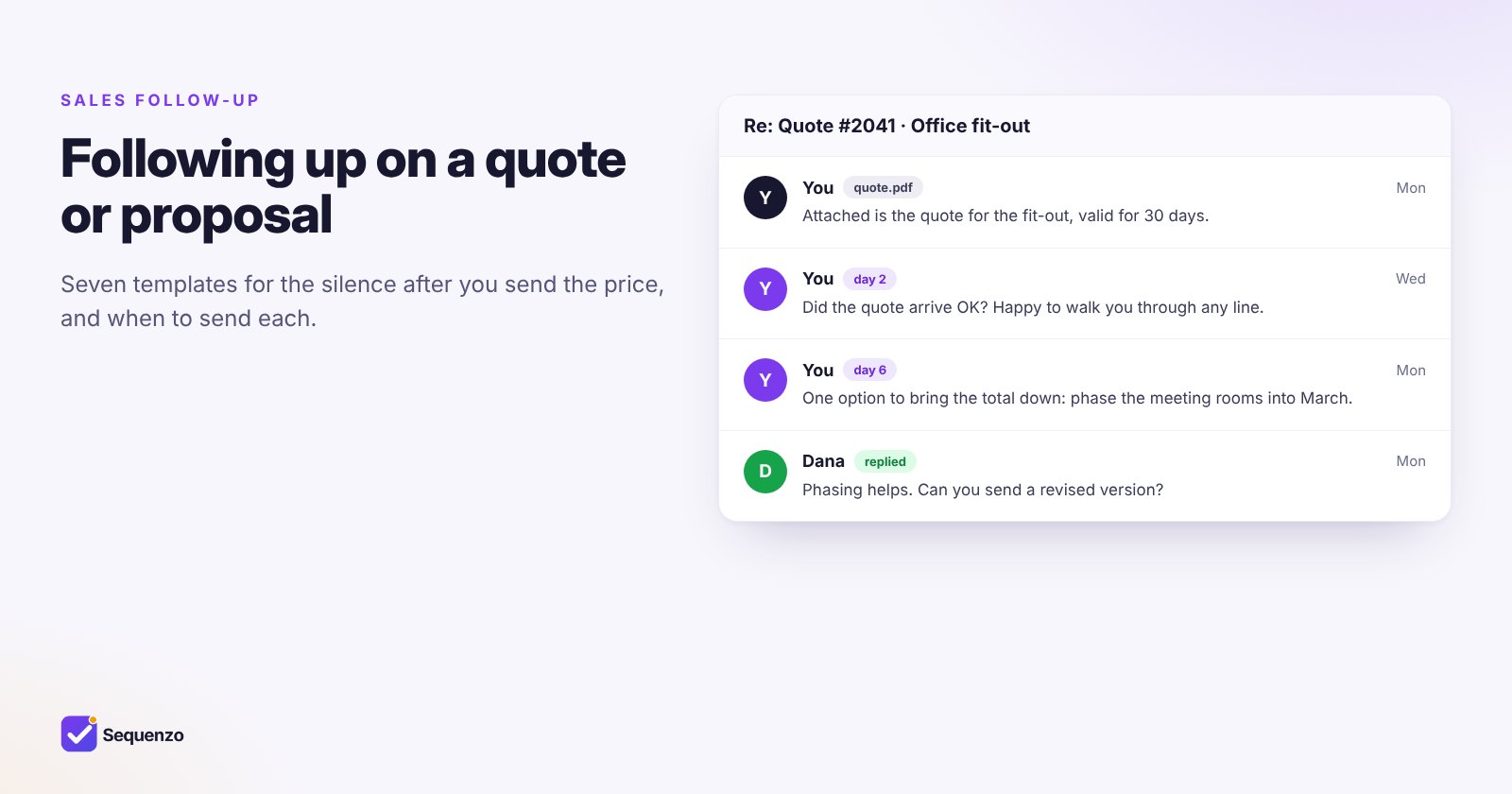
| 2 | Did it arrive? | Checks it landed and offers a walk-through |
| 4 | The question they haven't asked | Clears up what's included |
| 6 | An option | Gives a way to answer a price concern |
| 9 | Proof, briefly | A similar job or a reference |
| 12 | A real reason to decide | Validity date or start slot |
| 16 | The easy out on timing | "Not now" rather than "no" |
| 20 | Close the loop | Polite last email |
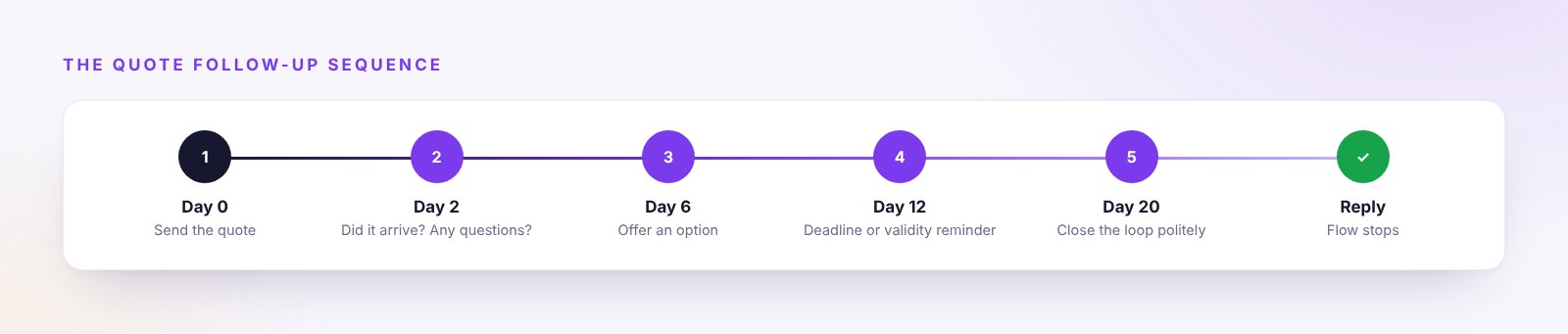
For smaller jobs, cut it to four steps: day 2, day 6, day 12 and day 20. For large or complicated proposals, you can stretch the gaps, but keep the order.
The rules that make quote follow-ups work
- Reply in the same thread. The quote, the scope and the price stay attached to the conversation, so nobody has to dig for the PDF. (More on why in why bumping from your own mailbox beats a bulk sender.)
- Make each email add something, whether that's a clarification, an option, a date or a simpler question. "Just checking in" doesn't count.
- Ask one question per email, answerable in a line.
- Stop when they reply. A scheduled reminder that turns up after the client has answered makes you look careless just as they are deciding.
Ten quote follow-up templates
1. Did it arrive? (day 2)
"Hi Dana, just making sure the quote came through OK. It's attached above. Happy to walk you through any line in ten minutes if that's easier than reading it."
2. Answer the question they haven't asked (day 4)
"Dana, one thing people often ask: the price includes removal of the old units and a 12-month workmanship guarantee. Is there anything else you'd like me to clarify?"
3. Offer an option (day 6)
"If the total is more than you planned, one option is to phase the meeting rooms into March. That brings the first invoice down by about a third. Would that help?"
This one tends to get the most replies. A client who thinks the price is high can answer it without having to say "too expensive".
4. Proof, briefly (day 9)
"We finished a similar fit-out for a team of 30 in October. Two photos below. I'm happy to put you in touch with them if a reference would help."
5. A real reason to decide (day 12)
"A quick note that the quote is valid until the 28th, after which material prices may change. If you'd like to hold the price, a short reply is all I need."
Only use a deadline that's real. Made-up urgency is easy to spot, and you'll need that client's trust later.
6. The easy out on timing (day 16)
"Is this a 'not now' rather than a 'no'? Tell me roughly when would be better and I'll pick it up then."
7. Close the loop (day 20)
"I haven't heard back, so I'll assume the timing isn't right and close this on my side. If anything changes, just reply here and I'll pick it straight back up."
That last email often gets a reply when the others didn't. We cover it in detail in how to write the breakup email.
Three more for specific situations
8. When someone else needs to approve it
"Dana, if this needs sign-off from someone else, I've written a one-paragraph summary below that you can forward as it is: what's included, the cost, and the start date. Happy to join a call with them too."
9. When you've heard they are comparing quotes
"Totally understand you're comparing. When you do, it's worth checking what's included as well as the total: ours covers [disposal, guarantee, cleaning]. If anything on another quote looks different, send it over and I'll tell you how ours compares."
10. When they said "we'll think about it"
"Thanks, Dana. So I don't chase you at the wrong moment, when do you expect to decide? I'll make a note and get back in touch then."
A reply like "we'll think about it" means any automated sequence should stop and the conversation is yours again. Ask for a date and follow up on that date yourself.
A weak follow-up, rewritten
Before: "Hi Dana, just checking in to see if you had any thoughts on the quote I sent over last week? Let me know!"
After: "Hi Dana, if the total is more than you planned, one option is to phase the meeting rooms into March, which brings the first invoice down by about a third. Would that help?"
The first version asks Dana to do the work: remember the quote, form a view and write it down. The second gives her something new and a question she can answer in a word.
Should you call instead?
For a large quote, a short call around day 4 often does more than another email, because you can hear the hesitation and answer it straight away. Send the email follow-ups as well, so the details are in writing and the client can forward them. If they say on the phone that they need more time, ask when to get back in touch and pause the email sequence until then.
What to put in the original quote email
A lot of follow-up work disappears if the first email is complete. Include the total, what's included and what isn't, how long the price is valid, the earliest start date, and exactly how to accept ("reply 'yes' and I'll send the booking form"). Attach the quote as a PDF and put the total in the body of the email, so someone reading on a phone sees it without opening anything. The free quote generator builds a tidy PDF if you don't have a template.
Common mistakes that lose quotes
- Waiting a week before the first follow-up. Two business days is plenty. The client asked for the price, so a quick check is helpful rather than pushy. See how long to wait before a follow-up.
- "Just checking in." It asks for a reply but gives no reason to send one.
- Discounting in the first follow-up. Offer a scope or phasing option before you touch the price.
- Sending a new email with a new subject. It splits the conversation and buries the quote.
- Following up after they replied. Nothing makes you look more like a robot.
Automating it so it still sounds like you
If you send more than a handful of quotes a week, tracking who needs which follow-up by hand stops working. With Sequenzo you write the sequence once, pick it when you send the quote from Gmail or Outlook, and each follow-up goes out from your own mailbox as a reply in the same thread. Before every step, the thread is checked again for a reply, so the sequence stops once the client answers. Our guide to automated follow-ups that still sound like you covers the writing side.
For trades and service businesses, see follow-ups for contractors and trades, and for teams that quote together, follow-ups for small sales teams.
Frequently asked questions
Q01How long should I wait to follow up on a quote?
Two business days is a good first follow-up. The client asked for the price, so checking it arrived and offering to explain it is helpful, not pushy. Space later follow-ups further apart: around day 6, day 12 and day 20.
Q02How many times should I follow up on a quote?
Four to six follow-ups over about three weeks is reasonable, as long as each one adds something new: a clarification, an option, proof or a real deadline. End with a polite email that closes the loop.
Q03Should I offer a discount in my follow-up?
Not first. Offer a scope or phasing option before you change the price. It answers a price concern without training clients to wait for discounts.
Q04What if the client replies "we'll think about it"?
Thank them and ask one specific question: what would help them decide, or when they expect to decide. Then follow up on that date. A reply means any automated sequence should stop, and the conversation is yours again.