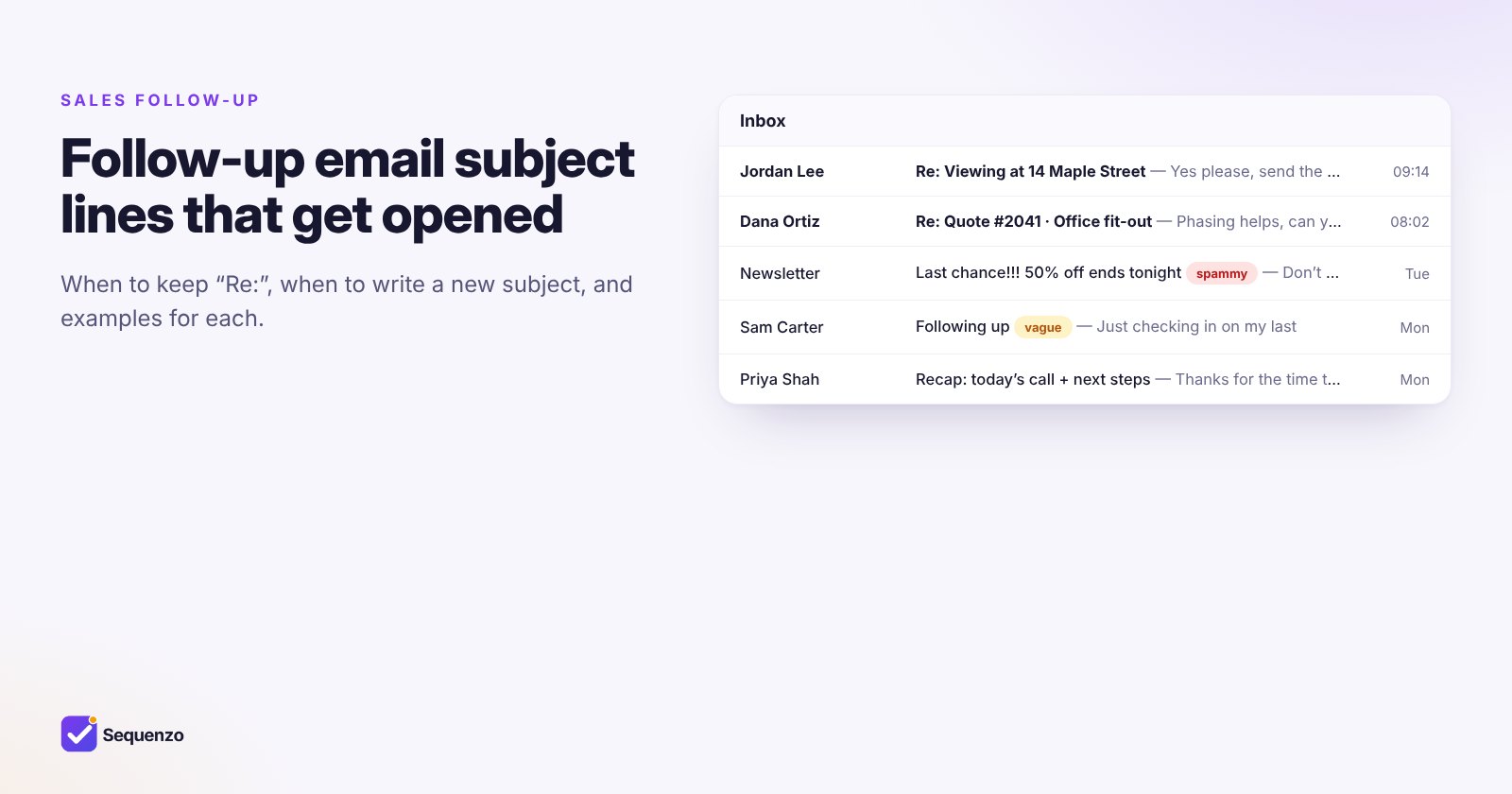
The subject line decides whether your email is opened, ignored or treated as marketing. For follow-ups the best subject is usually the original one ("Re: ..."), but when you write a new one it should be specific, short and honest.
This tester runs the checks experienced senders use: length for phone and desktop, ALL CAPS, repeated punctuation, emojis, pressure and money phrases, vague openers like "Following up", unfilled merge fields and misleading "Re:" or "Fwd:". It also shows how the subject and preview text will look in an inbox.
How to use the subject line tester
- Type your subject line (and preview text, if you set one).
- Choose whether it is a 1:1 email or a newsletter.
- Read the score and each suggestion.
- Edit until the preview reads clearly on the phone view.
Accuracy and privacy
This is a rule-based check that runs in your browser. Spam filters rely far more on sender reputation, authentication and how recipients react than on wording, so a good score is not a delivery guarantee. Use it to write clearer subjects.
Frequently asked questions
Q01How long should an email subject line be?
Short enough that the important words show on a phone, roughly the first 30–40 characters. Desktop inboxes show about 60–70.
Q02Do spam trigger words really matter?
Less than they used to. Filters focus on reputation and authentication, but pressure and money phrases still look like marketing to readers and can add to a spam score.
Q03Is it OK to start a subject with Re:?
Only if you are actually replying. Adding Re: to pretend there was a conversation is misleading and, for commercial email in the US, prohibited by the FTC's CAN-SPAM rules.
Q04Should follow-ups use a new subject line?
Usually not. Replying in the original thread keeps "Re:" plus the original subject, which keeps the context. Write a new subject only when the topic changes.